

• Welcome to MacanEVowners! If you're joining us from Taycanforum.com, then you may already have an account here.

    If you were registered on Taycanforum as of January 24, 2024 or earlier, then you can simply login here with the same username and password

    If you wish, you can remove your account here.
Sponsored

MyPorsche App: Something went wrong for Departure Settings

RunningOnSolar

Macan 4
Well-Known Member
First Name
Scott
Joined
Aug 17, 2024
Threads
12
Messages
195
Reaction score
241
Location
Ohio
Vehicles
Macan 4, Subaru Solterra
Country flag
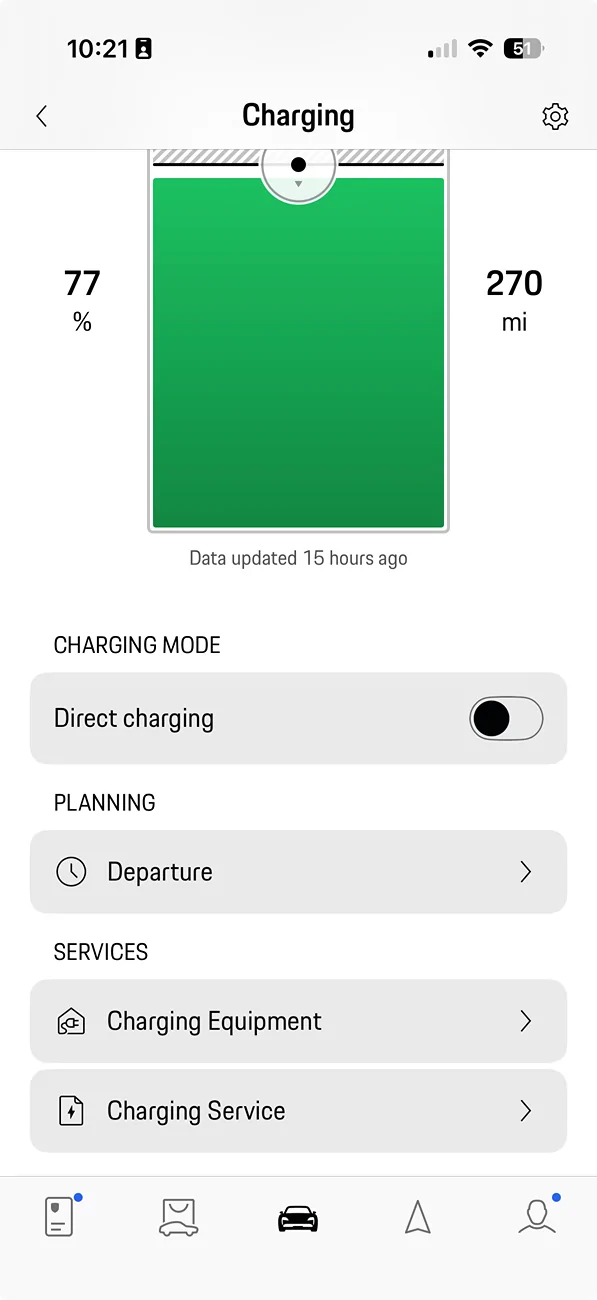
Since I have downloaded the newer look version of the MyPorsche app, I've noticed a "Something Went Wrong" error whenever I click on the "Planning: Departure >". This has been true of the version downloaded a few weeks ago and one from this morning. I've tried the uninstall/reinstall solution with no luck. Anyone else seeing this?

Electric Macan EV MyPorsche App: Something went wrong for Departure Settings Screenshot 2026-05-12 at 10.21.58 AM
Electric Macan EV MyPorsche App: Something went wrong for Departure Settings Screenshot 2026-05-12 at 10.22.29 AM

I've tried reporting this in the App Store and this morning through [email protected]. Will update the post if I hear anything.
Sponsored


alxman

Macan 4S
Well-Known Member
Joined
Oct 31, 2024
Threads
14
Messages
485
Reaction score
510
Location
Atlanta
Vehicles
Macan 4S EV, BMW X6, Tesla MX, Tesla M3
Country flag
Since I have downloaded the newer look version of the MyPorsche app, I've noticed a "Something Went Wrong" error whenever I click on the "Planning: Departure >". This has been true of the version downloaded a few weeks ago and one from this morning. I've tried the uninstall/reinstall solution with no luck. Anyone else seeing this?

Screenshot 2026-05-12 at 10.21.58 AM.webp
Screenshot 2026-05-12 at 10.22.29 AM.webp

I've tried reporting this in the App Store and this morning through [email protected]. Will update the post if I hear anything.
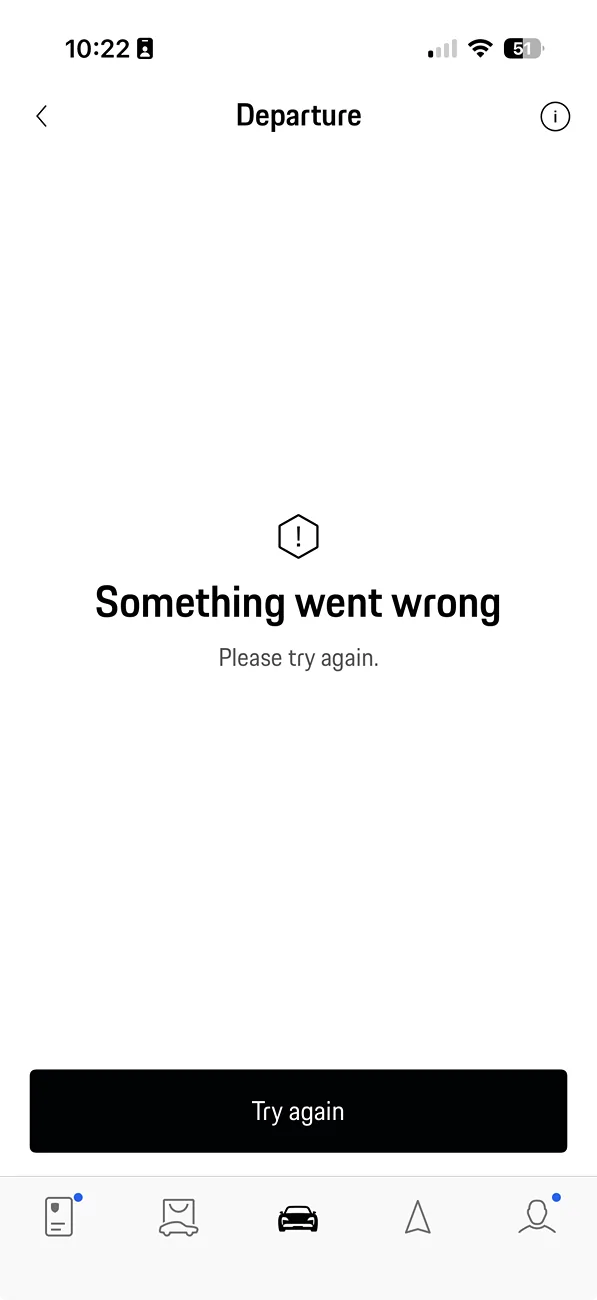
I had the same problem in April 2025 after an app update. I tried doing a hard reset on the iPhone (vol up, vol down, side button), but it didn’t work. I deleted the My Porsche app and installed it again. Logged out of the app and logged in again. Both unsuccessful. I tried resetting the car’s PCM by holding down the volume button. Still didn’t work. I could set a departure time and date on the car’s PCM, but no longer via the My Porsche app. I kept getting the same message: “Something went wrong” “Please try again”.

Finally, I decided to do a factory reset of the vehicle and it fixed the problem.

Good luck!
 
OP
OP
RunningOnSolar

RunningOnSolar

Macan 4
Well-Known Member
First Name
Scott
Joined
Aug 17, 2024
Threads
12
Messages
195
Reaction score
241
Location
Ohio
Vehicles
Macan 4, Subaru Solterra
Country flag
Thanks for all the info. It’s weird it fails so quickly on the phone, but a factory reset on the car fixed it. I think I will go through the same sequence as you, but wait until I hear from Porsche before trying the factory reset.
 
Last edited:

hcamp

Macan 4
New Member
First Name
Howard
Joined
Apr 2, 2025
Threads
0
Messages
3
Reaction score
0
Location
usa
Vehicles
2025 Macan 4
Country flag
Had same problem, I deleted the app and reinstalled to fix.
 
OP
OP
RunningOnSolar

RunningOnSolar

Macan 4
Well-Known Member
First Name
Scott
Joined
Aug 17, 2024
Threads
12
Messages
195
Reaction score
241
Location
Ohio
Vehicles
Macan 4, Subaru Solterra
Country flag
Had same problem, I deleted the app and reinstalled to fix.
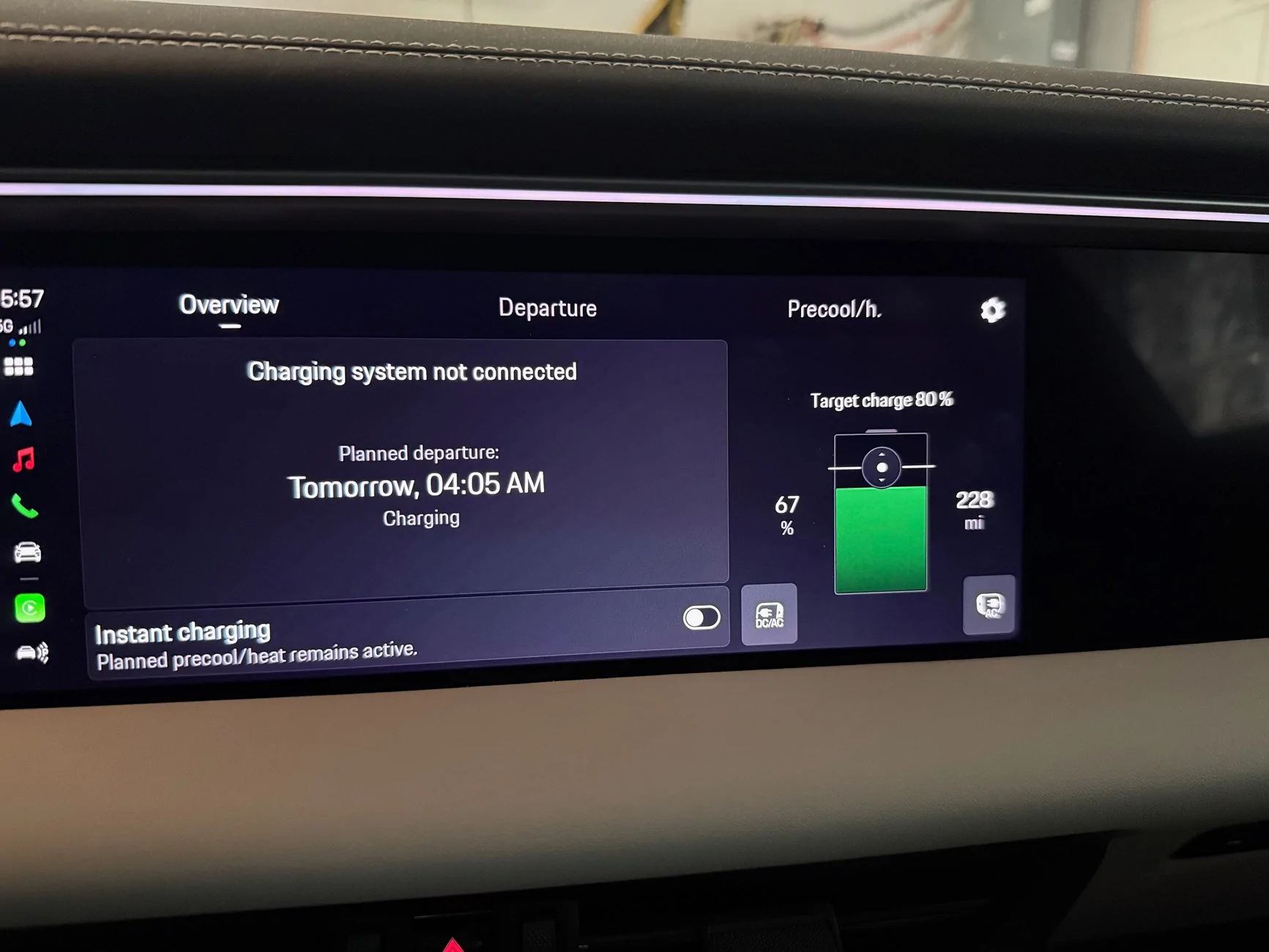
I tried that for a second time and still no luck. I can however report a new feature in the PCM version of the charging app. Now there are clickable buttons shown to the bottom left and right of the battery graphic (if you have powered charge port doors). I am hoping to see the same appear in the My Porsche app.

Electric Macan EV MyPorsche App: Something went wrong for Departure Settings IMG_1132


OP
OP
RunningOnSolar

RunningOnSolar

Macan 4
Well-Known Member
First Name
Scott
Joined
Aug 17, 2024
Threads
12
Messages
195
Reaction score
241
Location
Ohio
Vehicles
Macan 4, Subaru Solterra
Country flag
i found the solution. @hcamp was right, but missing a detail relevant to my situation. I had installed the app on both an iPhone AND iPad. When I deleted it from both devices, it released the iCloud storage and now after installing it on both it’s working on both. Problem solved!

Now if we can just get the charge port door buttons on the app…
 

hcamp

Macan 4
New Member
First Name
Howard
Joined
Apr 2, 2025
Threads
0
Messages
3
Reaction score
0
Location
usa
Vehicles
2025 Macan 4
Country flag
i found the solution. @hcamp was right, but missing a detail relevant to my situation. I had installed the app on both an iPhone AND iPad. When I deleted it from both devices, it released the iCloud storage and now after installing it on both it’s working on both. Problem solved!

Now if we can just get the charge port door buttons on the app…
Nice, I only had it on my phone so well played! I don't have electric charge port doors (which I now regret) I can't tell you how many times I have left the manual doors open.
 
OP
OP
RunningOnSolar

RunningOnSolar

Macan 4
Well-Known Member
First Name
Scott
Joined
Aug 17, 2024
Threads
12
Messages
195
Reaction score
241
Location
Ohio
Vehicles
Macan 4, Subaru Solterra
Country flag
Nice, I only had it on my phone so well played! I don't have electric charge port doors (which I now regret) I can't tell you how many times I have left the manual doors open.
The powered doors were a last minute decision for me I was 50/50 on. Once the driver side jammed on that secondary cover, but I was able to fix the jam from the PCM. For now, I like the powered doors as long as they continue to work…


Top